See activity.
Stay aware.
SafeChild Ai Tools shows you all calls, messages and social activity on your child's phone — WhatsApp, Instagram, Facebook, Telegram and more — live on one secure web dashboard.
Step-by-step guide · સ્ટેપ ગાઇડ · स्टेप गाइड
Choose your language to download the full how-to guide (PDF).
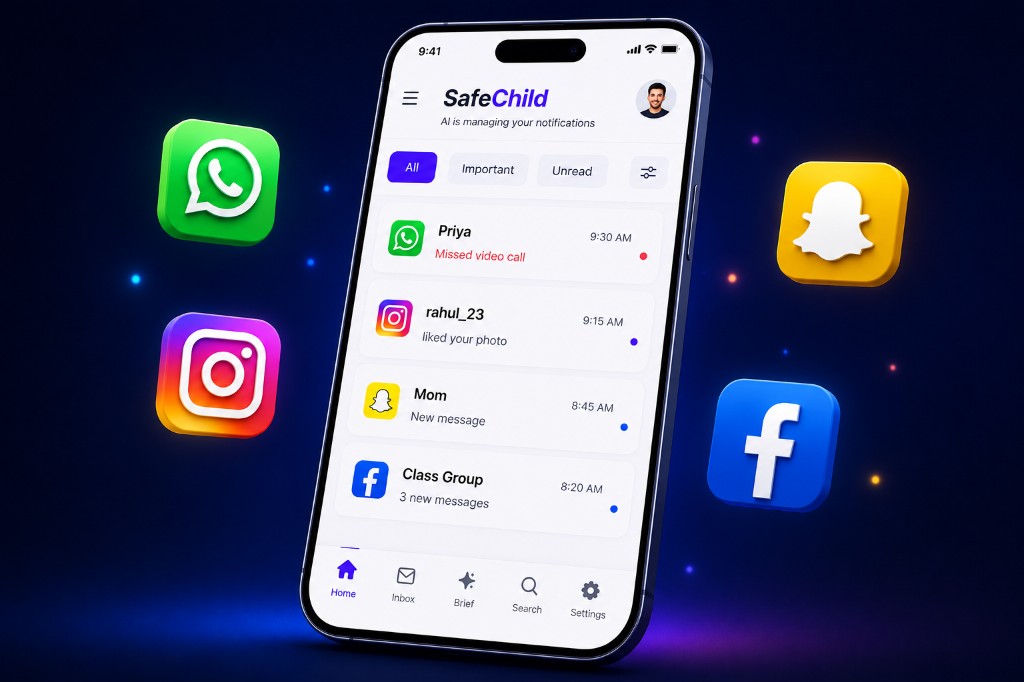
Tracks activity across
Everything SafeChild tracks
A complete picture of activity — all in one dashboard.
Calls (phone + apps)
- Incoming / Outgoing / Missed / Rejected / Blocked
- Voice & video calls + missed video calls
- Caller name / number, time, duration
App calls from
Messages
- SMS — received & sent
- Messages from all apps below
- Read the actual message text PREMIUM
Messages from
Social activity
- Like, Comment, Follow, DM, Story, Tag
- Like, Comment, Friend Request, Share
- Channel, Group message, Contact join
- Notifications, streak / chat
- Message, group, status view
Built-in privacy: OTP, password & verification messages are never stored or shown — on any plan — so the tool can't be misused.
How it works
Set up once in a few minutes. Then just open the dashboard anytime.
Download & install the app
- On the CHILD's phone, tap Download App and open the file.
- If asked, allow "Install from unknown sources" for your browser.
- Open SafeChild Ai Tools and enter the child's name.
SafeChild Ai Tools
safechild.apk
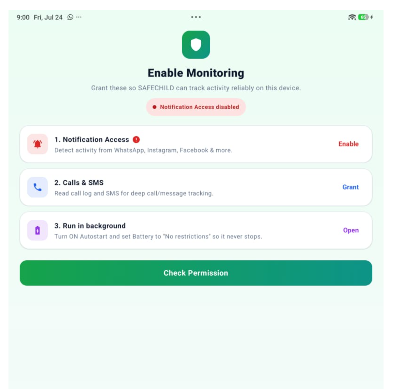
Allow all permissions (important)
- 1. Notification Access — to detect chats & calls.
- 2. Calls & SMS — for deep call/message tracking.
- 3. Battery → No restrictions — so it never stops.
- 4. Autostart → ON — tap How-to for step-by-step.
- You can't continue until all 4 turn green ✓.
Open the web & login
- The app shows a 9-digit Access Code and a QR code.
- On any device open mysafechild.com → Login.
- Enter the code or scan the QR — done.
- No sign-up, no password to remember.
Enter Access Code
Or scan the QR
See everything, live
- Calls, video calls, missed calls & SMS.
- All app notifications with the actual text.
- Social activity: likes, comments, follows, tags, stories.
- Profile photos, contacts and per-app breakdown.
Hello, Parent 👋
Live12
Calls
48
Messages
96
Notifs
Priya
Missed video call
rahul_23
liked your photo
Mom
New message
Class Group
3 new messages
What you can see
Everything that matters, in one place.
All notifications
Every app's notifications with the real message text.
Calls & SMS
Incoming, outgoing, missed calls and text messages.
Video calls
WhatsApp and app voice / video calls detected.
Social activity
Likes, comments, follows, tags, story replies & more.
Profile photos
See the sender's profile picture on each activity.
Live & reliable
Runs in the background 24×7 and syncs automatically.
9,000+
Families protected
50k+
Activities tracked
98%
Happy parents
4.8★
Average rating
Trusted by parents across India · Data secured & auto-deleted after 30 days
Simple pricing
Start free for 24 hours. Then pick the plan that fits.
Free Trial
24 hours
Full Premium access. No card required.
- Everything unlocked
- Read message text too
- No sign-up
Basic
₹1499 / month
Activity monitoring, 1 device.
- All calls, video calls & missed calls
- SMS + who messaged, from which app
- Social activity — likes, comments, follows, tags
- Sender names, times & profile photos
- Message text stays hidden
Premium
₹1999 / month
Everything, incl. message text.
- Everything in Basic
- Read the actual message text
- See what was written in every chat
- Full WhatsApp / Instagram / DM content
- OTP / password messages stay hidden
Basic vs Premium — what's the difference?
Both show all activity. The one real difference is the message content.
Basic · ₹1499
You see who messaged, from which app and when — but not what was written.
Example
WhatsApp · Priya · Message · 2:30 PM
🔒 Message hidden
Premium · ₹1999
Everything in Basic plus the actual message text — you can read what was written in every chat.
Example
WhatsApp · Priya · Message · 2:30 PM
“Project is due tomorrow at school 📚”
On both plans, OTP / verification / password messages are always hidden for safety.
After the 24-hour free trial a plan prompt appears on the dashboard. OTP, verification and password messages are always hidden. Data is kept for 30 days.
Ready in a few minutes
Download the app, allow permissions, and open your dashboard.